
Forgejo v17.0 is available
Forgejo version 17.0 was released on 15 October 2026. Forgejo is a lightweight, community-developed, self-hosted platform for code collaboration.
This article contains a selection of the changes that were introduced. A complete list of changes is available in the release notes.
A dedicated test instance is available to try it out. Before upgrading, it is strongly recommended to make a full backup as explained in the upgrade guide and carefully read all breaking changes from the release notes. If in doubt, do not hesitate to ask for help in the chat room.
Breaking changes
Absolute links in rendered documents
In rendered documents, absolute links to resources inside a repository are now resolved with respect to the root of the repository. !12939
This is a breaking change from the previous behaviour when these links were rendered using the root of the instance. Absolute links in issue and pull request descriptions and comments remain rendered with respect to the instance’s root. !13993
This change increases the compatibility with other Git forges and thus, makes migrations to Forgejo even easier.
Action required
Deprecation of action run webhook events
Action run webhook events are replaced by the more capable and less problematic workflow run events. !14351 The action run events have been deprecated for removal in a future Forgejo version. Unfortunately, it is not possible to migrate existing webhooks to the new events automatically because some headers (X-*-Event, X-*-Event-Type) and the action key have changed, which might break existing receivers. Furthermore, completion notifications are only emitted after all jobs of a run have terminated. !12598
Please inspect existing webhooks and manually migrate them to the workflow run events after verifying that the webhook receivers can process them without issues.
New features
Support for FUNDING.yml
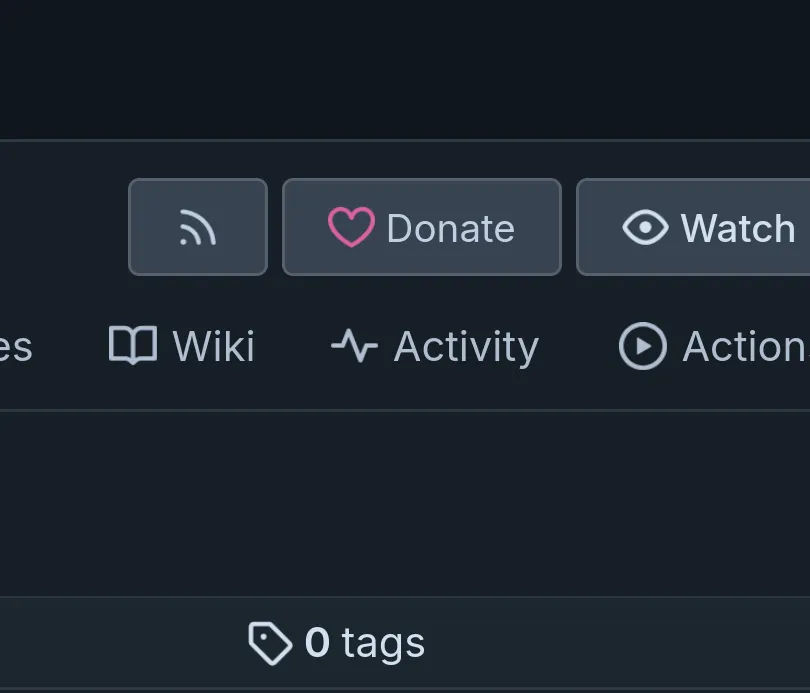
For repositories that contain a FUNDING.yml file, Forgejo shows a new “Donate” button which presents a list of donation options when clicked.
Additionally, for users and organizations that have such file in their .profile repository, a similar button appears on their profile pages.
This feature currently exists only in the web interface, but we are considering to implement an API surface for it. If you have a use cases for such API feature, please help shape it by sharing your feedback in the dedicated issue.
Auto-completion for issues and pull requests
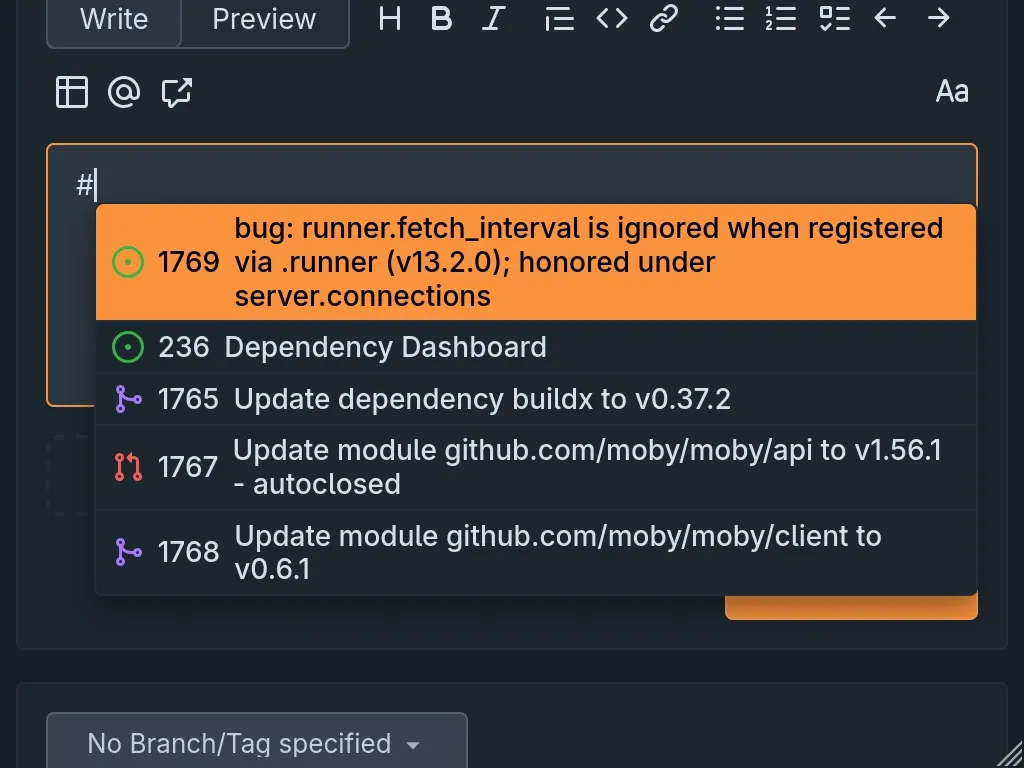
When authoring an issue, pull request, or comment, Forgejo will offer auto-completion for issues and pull requests. !8088 To activate the auto-completion, type # for issues or pull requests, or ! for pull requests only. To refine the suggestions, either continue with a search term or an issue or pull request number.
LFS support improvements
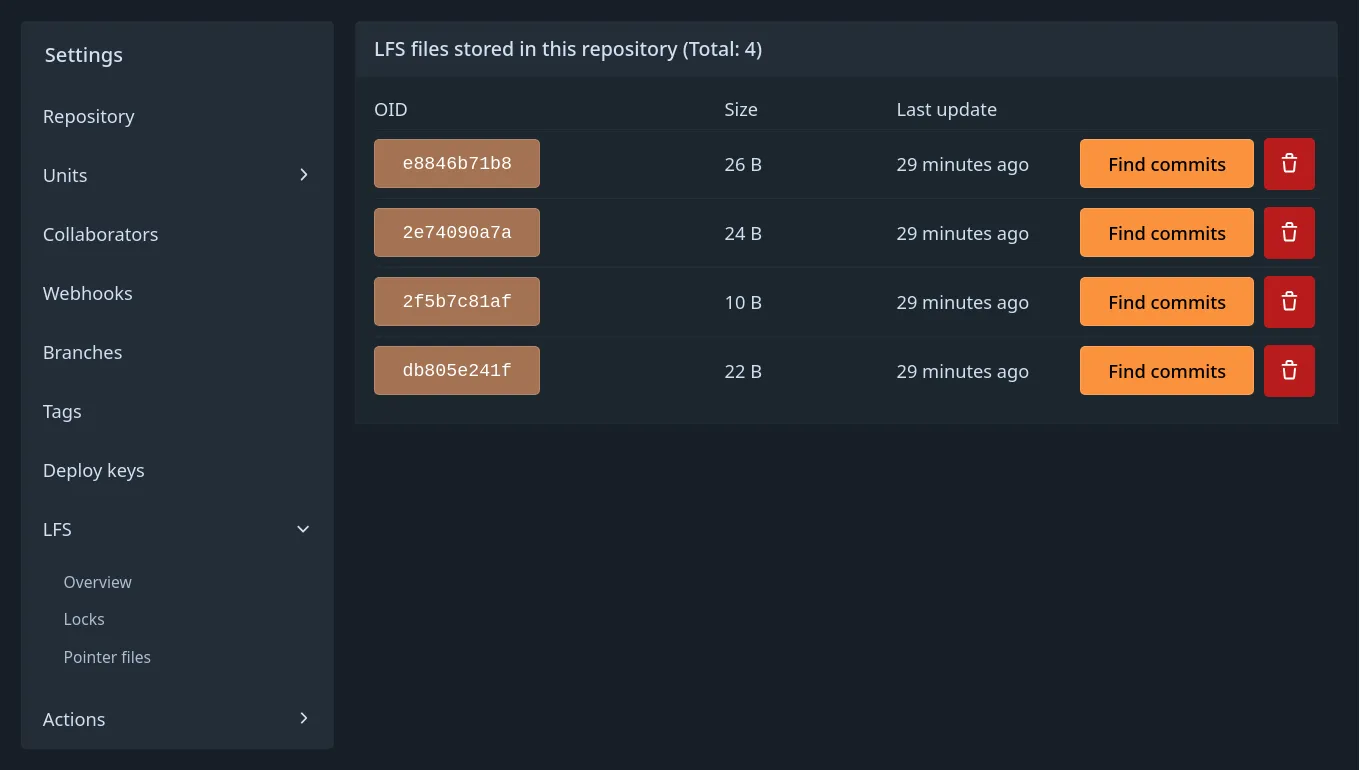
Forgejo’s Git LFS support is being overhauled. While most changes are under the hood, a string of smaller improvements are visible to users. Those include navigation and overview improvements in the LFS settings, new views to discover the commits that refer to a given LFS file, and better handling of pointers.
Invitations to organizations
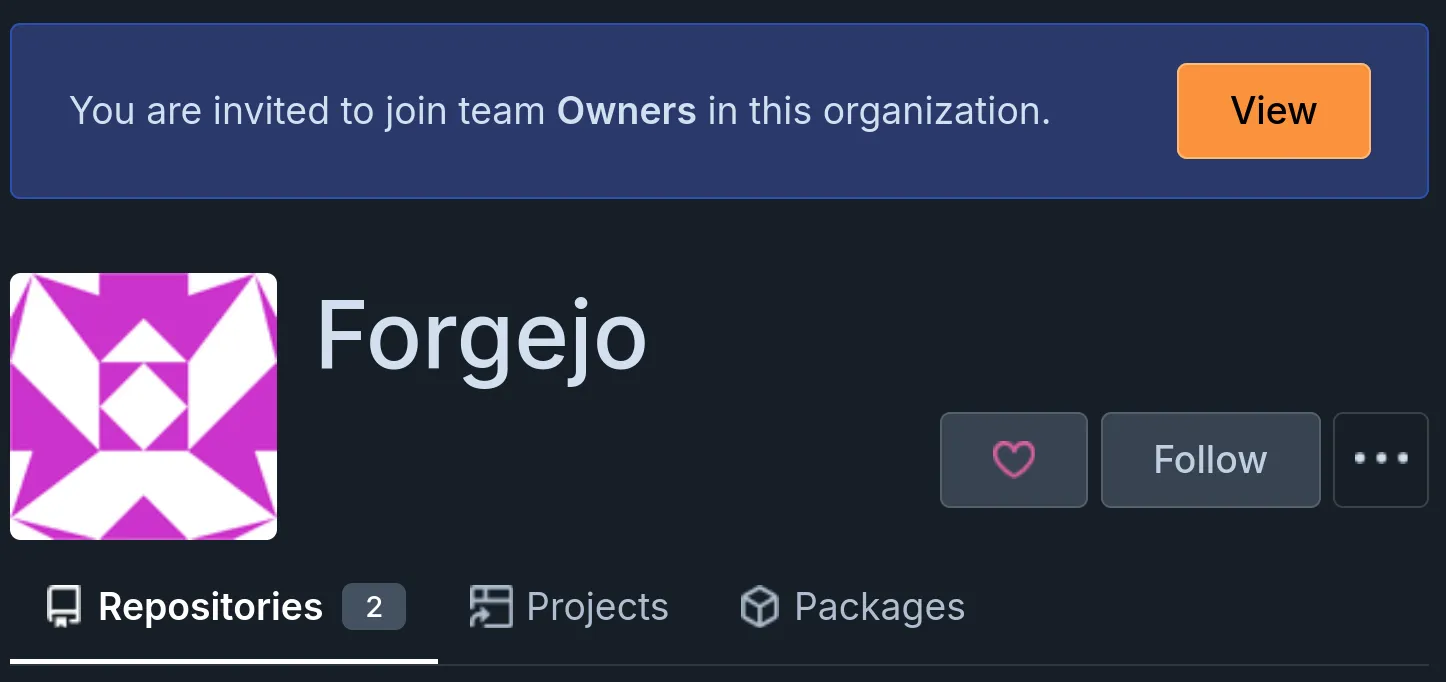
Forgejo can be configured so that when adding a user to an organization, they are not added to the organization instantly but instead receive an invitation that can be accepted or declined. This behavior can be enabled by setting [service].ADD_MEMBERS_BY_INVITATIONS = true in Forgejo’s app.ini.
Authentication providers are still able to add users to organizations with no action on their part.
The invitations are visible on the organization profile and are sent out by email. By default they expire after 14 days.
Work is ongoing to make those invitations visible in the in-app notifications.
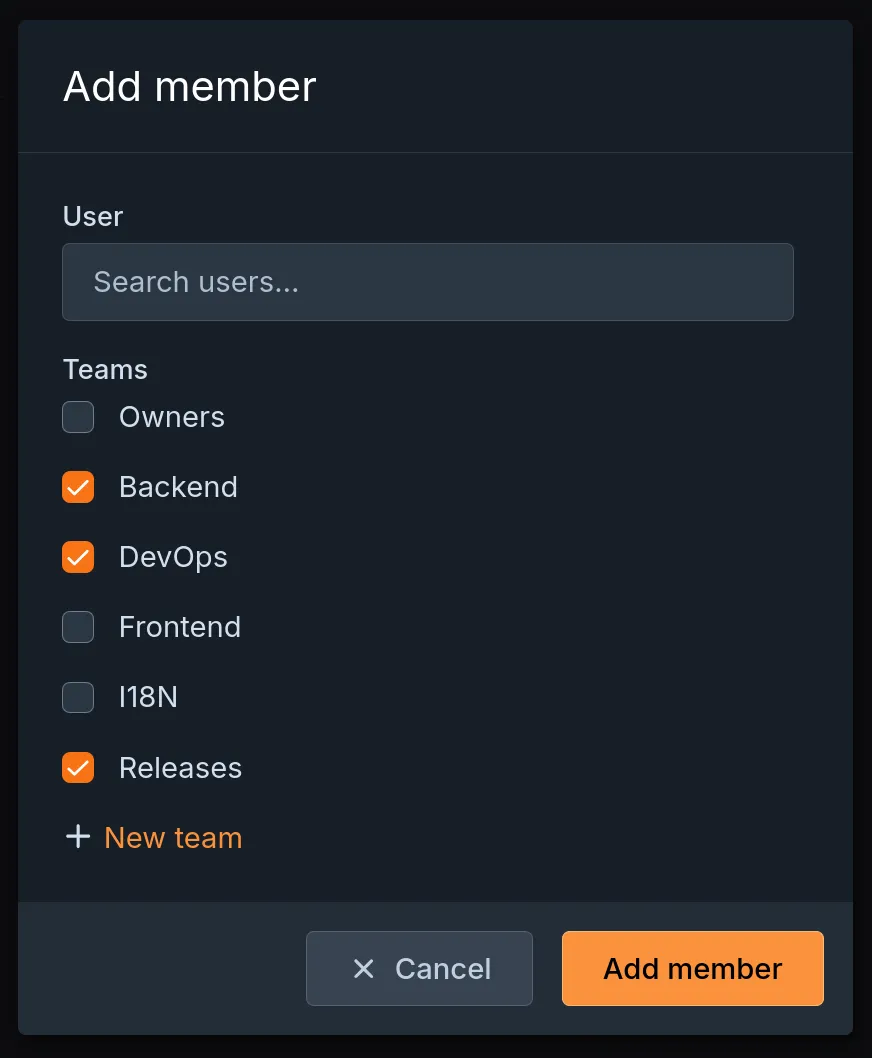
Add/invite to multiple teams at once
A user can now be added or invited to multiple teams in one go, without going through each needed team individually. !11848
Copy comment Markdown
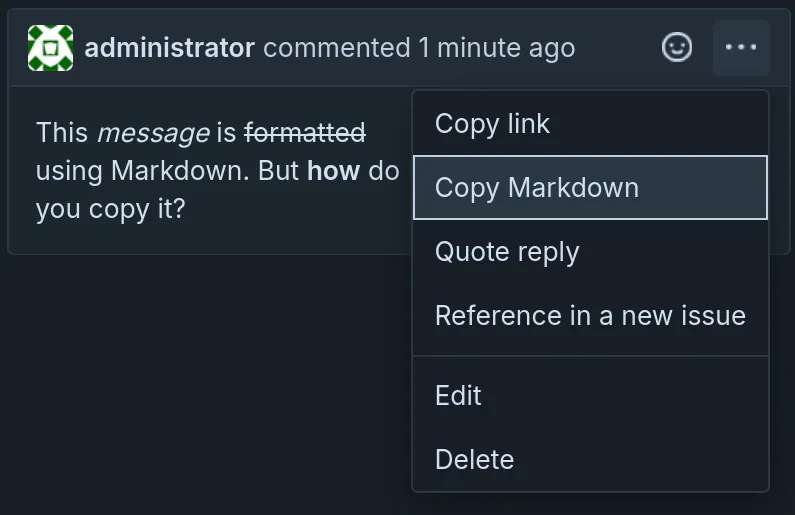
Markdown contents of comments can now be easily copied via the ellipsis menu. !13083
Forgejo Actions API improvements
The Forgejo HTTP API received multiple enhancements related to Forgejo Actions:
- Entire workflow runs and individual jobs can now be rerun by sending requests to
/repos/{owner}/{repo}/actions/runs/{run_id}/rerunand/repos/{owner}/{repo}/actions/jobs/{job_id}/rerunrespectively. !13924 The workflow runs or jobs must have completed. Otherwise, they cannot be rerun. However, individual completed jobs can be rerun while the workflow run is still being executed. - The HTTP endpoints for obtaining job logs gained substring filters !12821 and the ability to only return the logs of a particular step with
/jobs/{job_id}/logs?step=N. !12799 In addition to plain text, the logs can be requested as NDJSON with?format=ndjson. !12820 /repos/{owner}/{repo}/actions/jobs/{job_id}enables users to get the details of a particular job. !12799
Forgejo Actions job summaries
Forgejo now displays job summaries generated by Forgejo Runner 13.2 or newer. !14076
Job summaries are Markdown documents that belong to a particular Forgejo Actions job. They are displayed above the logs. All Markdown features supported by Forgejo can be used — including tables, Mermaid diagrams, and formulas written in KaTeX.
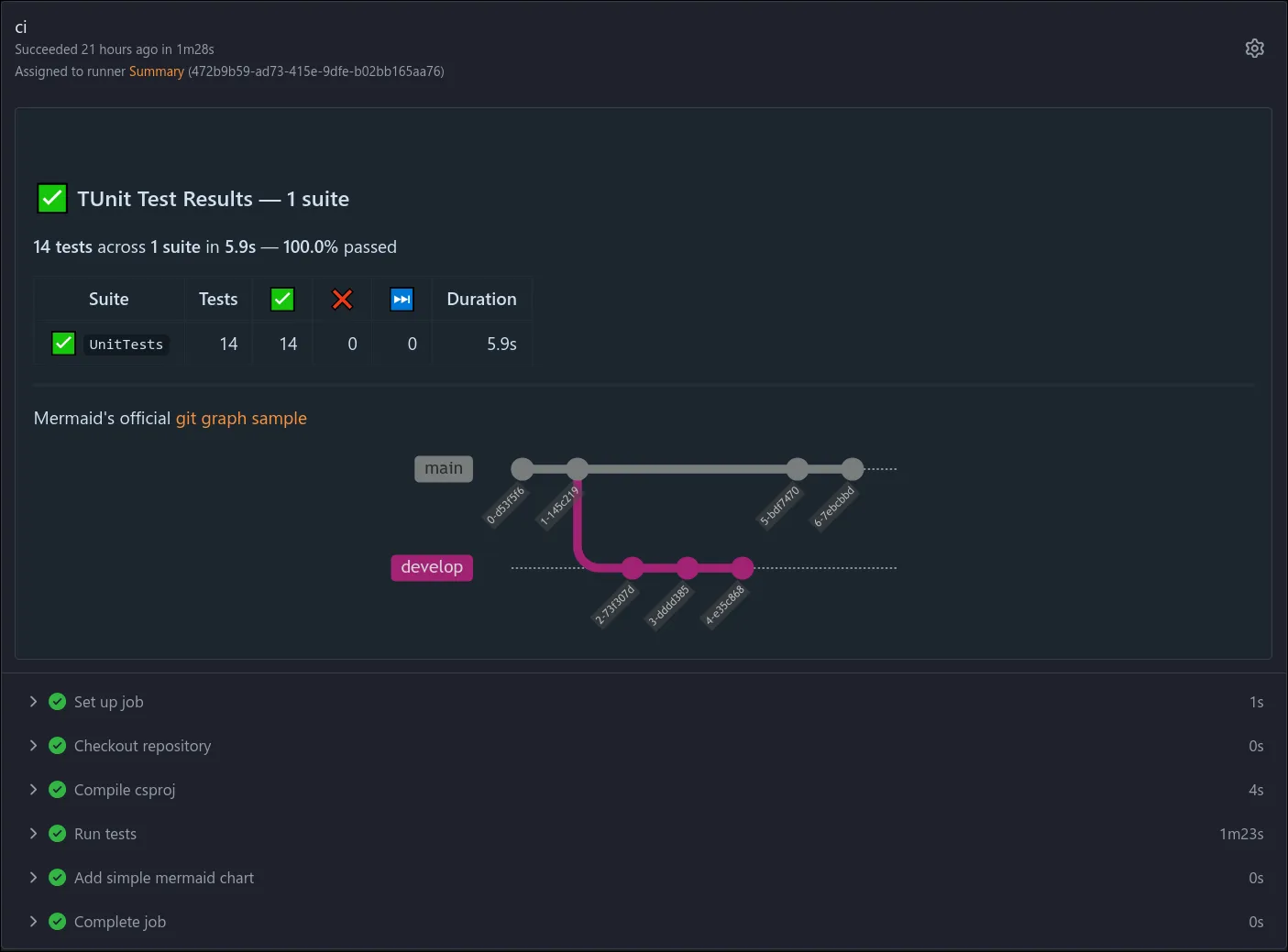
Job summaries are assembled from one or more Markdown fragments that are written by a step to the file $FORGEJO_STEP_SUMMARY. $GITHUB_STEP_SUMMARY is supported, too, for compatibility with existing actions and easing the transition from GitHub.
Allow pushing to AGit refs
Maintainers and pull-requests creators can now directly push to the AGit refs:
# Pull Request Creator
git checkout -b local-branch
git push origin HEAD:refs/for/main/agit-topic

# Maintainer/Reviewer can pull the code to a local branch
git fetch origin refs/pull/3/head:local-branch
git switch local-branch

# Maintainers and Pull Request creator need some further git config
git config push.default upstream
git config branch.local-branch.merge refs/pull/3/head
git config branch.local-branch.remote origin

# NEW: Maintainer and Pull Request creator can now (force) push and pull to this ref
git push
git pull
Webhook notifications for workflow jobs
More events have been added to Forgejo’s webhooks. Webhooks can now be triggered when the status of a Forgejo Actions workflow job changes. !14334 As usual, it is possible to receive notifications in various chat applications like Discord or Matrix. Alternatively, Forgejo is able to notify a remote server using an HTTP request. Users have the possibility to select which statuses, like “waiting” or “cancelled,” they want to receive notifications for.
While prior versions of Forgejo could already trigger notifications for “action runs,” that capability was limited to completion events. It has been enhanced to match the capabilities of workflow job events. !14351 Users can now select which statuses they want to receive notifications for. The old “action runs” events have been deprecated and will be removed in a future Forgejo version.
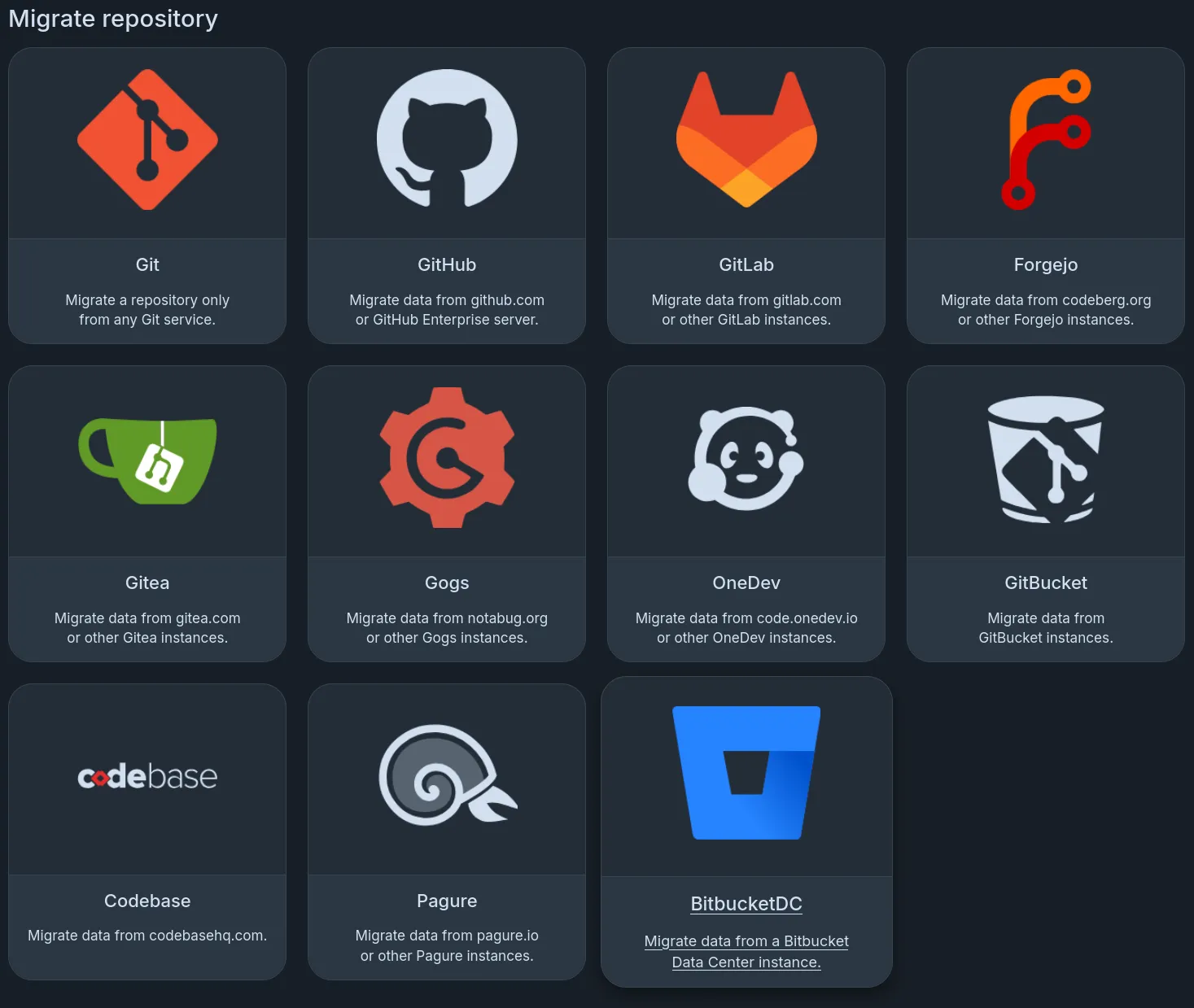
Repository migration from Bitbucket Data Center
Forgejo can now migrate repositories from Bitbucket Data center (formerly Bitbucket Server). Pull requests, reviews, comments (including multi-line comments), threads and replies can also be imported during the process. !13288 Authentication uses an HTTP access token, and “HTTPS SCM Hosting” must be enabled on Bitbucket as Forgejo migrations clone over HTTPS.
Migration of repository avatars
When migrating repositories from Gogs, Gitlab, Gitea, or Forgejo, the repository avatar images are now migrated, too. !12921
Backup documentation
A new guide on how to backup and restore a Forgejo instance has been added to Forgejo’s documentation. In particular, it points out the most important secrets that need to be backed up for proper instance restoration.
Release schedule and Long Term Support
Based on the release schedule, major releases are published every three months. Patch releases are published more frequently, depending on the severity of the bug or security fixes they contain. Forgejo v17.0 is a non-LTS release. It will be supported until 28 January 2027.
| Version | Release date | End Of Life |
|---|---|---|
| 15.0 (LTS) | 16 April 2026 | 15 July 2027 |
| 16.0 | 16 July 2026 | 29 October 2026 |
| 17.0 | 15 October 2026 | 28 January 2027 |
| 18.0 | 14 January 2027 | 29 April 2027 |
| 19.0 (LTS) | 15 April 2027 | 13 July 2028 |
17.0-test daily releases
Releases are built daily from the latest changes found in the v17.0/forgejo development branch. They are deployed to the https://v17.next.forgejo.org instance for manual verification in case a bug fix is of particular interest ahead of the next patch release. It can also be installed locally with:
Their names are staying the same, but they are replaced by new builds every day.
Get Forgejo v17.0
See the download page for instructions on how to install Forgejo.
Upgrading
Carefully read the breaking changes section of the release notes.
The actual upgrade process is as simple as replacing the binary or container image
with the corresponding Forgejo binary
or container image.
If you’re using the container images, you can use the
17.0 tag
to stay up to date with the latest 17.0.Y patch release automatically.
Make sure to check the Forgejo upgrade documentation for recommendations on how to properly back up your instance before the upgrade.
Contribute to Forgejo
If you have any feedback or suggestions for Forgejo, do not hold back; it is also your project. Open an issue in the issue tracker for feature requests or bug reports, reach out on the Fediverse, or drop into the Matrix space (main chat room) and say hi!
Donate
Forgejo is proud to be funded transparently. Additionally, it accepts donations through Liberapay. It is also possible to donate to Codeberg e.V. in case the Liberapay option does not work out for you, and part of the funding is used to compensate for work on Forgejo.
However, the Liberapay team allows for money to go directly to developers without a round-trip to Codeberg. Additionally, Liberapay allows for a steady and reliable funding stream next to other options, a crucial aspect for the project. The distribution of funds through Liberapay is transparently controlled using the decision-making process, and Forgejo contributors are encouraged to consider applying to benefit from this funding opportunity.
Thank you for using Forgejo and considering a donation, if your financial situation allows.